> For the complete documentation index, see [llms.txt](https://doc.faceplugin.com/llms.txt). Markdown versions of documentation pages are available by appending `.md` to page URLs; this page is available as [Markdown](https://doc.faceplugin.com/readme.md).

# Welcome to Faceplugin

Official Faceplugin documentation. On-premise Face Recognition, Liveness Detection, and ID Document Recognition SDKs for Android, iOS, Flutter, React Native, Windows, and Linux.

### Introduction

Welcome to the official documentation for **Faceplugin**. Our company provides cutting-edge biometric solutions, including:

* **Face Recognition SDK**: Accurate facial recognition for a wide range of use cases.
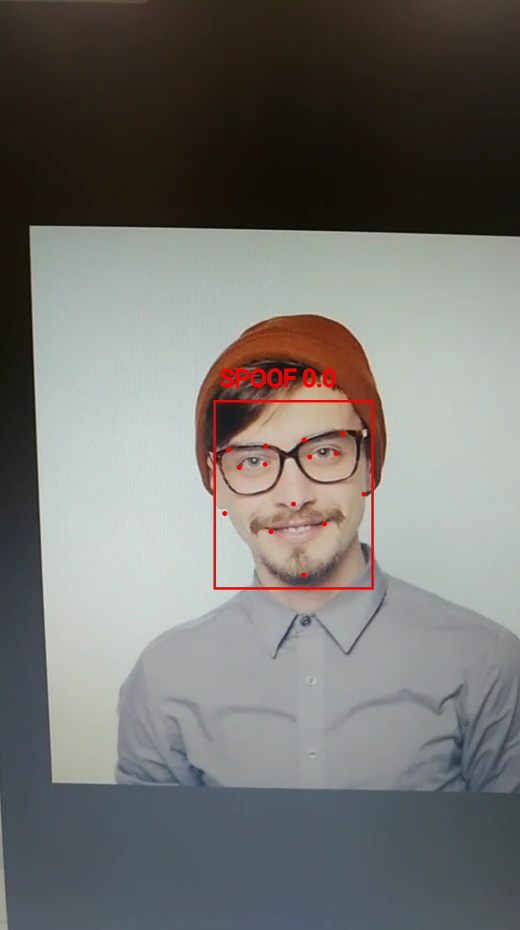
* **Liveness Detection SDK**: Ensures the user is physically present during authentication.
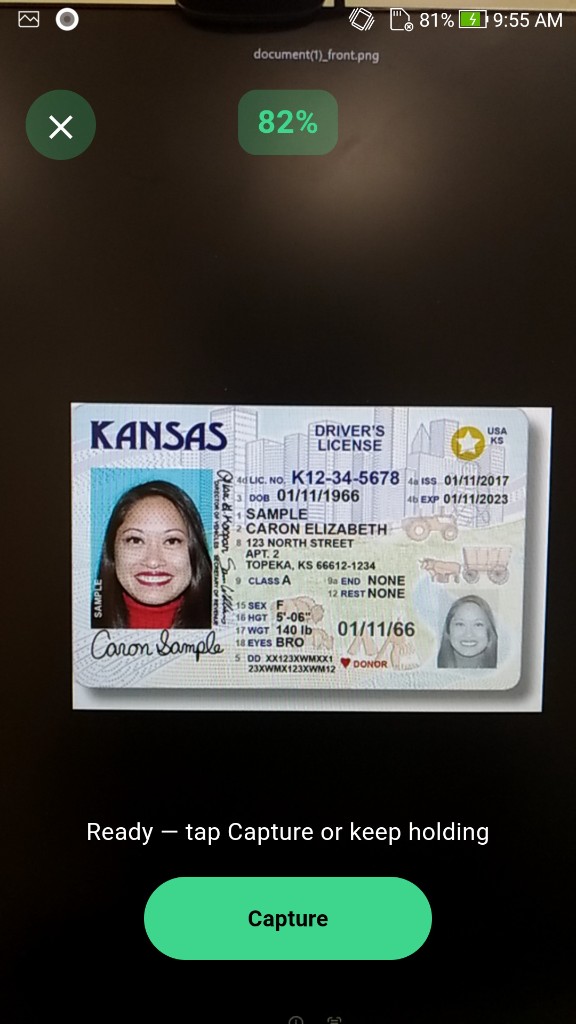
* **ID Document Recognition SDK**: Automates the process of recognizing and validating ID documents for secure identification.
* **ID Document Liveness SDK**: Document anti-spoofing against screen replays, printouts, and substitution.

This guide will walk you through the features, installation, usage, and integration of these SDKs.

### How to use these docs

1. Open the product that matches what you licensed (Face Recognition, Liveness, ID Document, or Document Liveness).
2. Open the **platform** page (Android, iOS, Flutter, React Native, Linux, Windows, …).
3. Follow **Setup** / **How to run** to place the Drive runtime and start the **demo**.
4. Copy the **machine code** (`FPMC1.…`) if you run a server SDK, then [request a license](/request-a-license-and-support.md).
5. Use **Try it** / **APIs** to call the same engine from your app. Store templates and document JSON in **your** database.

Native binaries are **not** on GitHub (too large). Each platform page links the Google Drive folder and the exact copy path.

{% hint style="info" %}
The demo is a full app. You do **not** need the demo screens in production — copy the runtime, call activate → init, then the process APIs.
{% endhint %}

### Our Products

<table data-view="cards"><thead><tr><th></th><th></th><th data-hidden data-card-cover data-type="image">Cover image</th><th data-hidden></th><th data-hidden data-card-target data-type="content-ref"></th></tr></thead><tbody><tr><td><strong>Face Recognition SDK</strong></td><td>Face recognition algorithm top ranked on NIST FRVT</td><td><a href="https://2098903383-files.gitbook.io/~/files/v0/b/gitbook-x-prod.appspot.com/o/spaces%2FOVPhdobVzMJATKJFiDsH%2Fuploads%2Fgit-blob-cf34851f92a0553bec18ebc92a29a6c349a30c7b%2FLucid_Origin_A_futuristic_face_recognition_interface_for_Facep_1.jpg?alt=media">Lucid_Origin_A_futuristic_face_recognition_interface_for_Facep_1.jpg</a></td><td></td><td><a href="/face-recognition-sdk.md">Face Recognition SDK</a></td></tr><tr><td><strong>Liveness Detection SDK</strong></td><td>Detect printed photos, screen replays, 3D models and deepfakes</td><td><a href="https://2098903383-files.gitbook.io/~/files/v0/b/gitbook-x-prod.appspot.com/o/spaces%2FOVPhdobVzMJATKJFiDsH%2Fuploads%2Fgit-blob-19660066ba4800a4ae2579271f0c0abe6e40bdc3%2FLucid_Origin_Splitscreen_concept_showing_real_face_vs_spoof_at_0.jpg?alt=media">Lucid_Origin_Splitscreen_concept_showing_real_face_vs_spoof_at_0.jpg</a></td><td></td><td><a href="/liveness-detection-sdk.md">Liveness Detection SDK</a></td></tr><tr><td><strong>ID Document Recognition SDK</strong></td><td>Recognize ID documents from 200+ countries including ID card, Driver License and Passport</td><td><a href="https://2098903383-files.gitbook.io/~/files/v0/b/gitbook-x-prod.appspot.com/o/spaces%2FOVPhdobVzMJATKJFiDsH%2Fuploads%2Fgit-blob-5f22ea92f04c0ef62d25efb31144e80effc4bb28%2FLucid_Origin_A_modern_UI_showing_an_ID_card_being_scanned_boun_0.jpg?alt=media">Lucid_Origin_A_modern_UI_showing_an_ID_card_being_scanned_boun_0.jpg</a></td><td></td><td><a href="/id-document-recognition-sdk.md">ID Document Recognition SDK</a></td></tr></tbody></table>

### Try our SDKs

* [Github Repo](https://github.com/Faceplugin-ltd)
* [Google Play App](https://play.google.com/store/apps/details?id=ai.faceplugin.recognition)
* [Our playground](https://playground.faceplugin.com/)
* [HuggingFace Spaces](https://huggingface.co/FacePlugin-Ltd)
* [Docker Hub](https://hub.docker.com/u/faceplugin)

### Features <a href="#feature" id="feature"></a>

* Fully On Premise, Offline SDK
* Simple and comprehensive API
* Flexible licensing model

### Platforms <a href="#platform" id="platform"></a>

Android, iOS, Flutter, React Native, Ionic (Capacitor and Cordova), Windows and Linux / Docker platforms.

### Usecases <a href="#application" id="application"></a>

* eKYC
* Fintech
* ID verification
* Digital onboarding
* Online banking, Payments
* Self-checkout at shops
* Government e-services
* Fraud detection and prevention


---

# Agent Instructions
This documentation is published with GitBook. GitBook is the documentation platform designed so that both humans and AI agents can read, navigate, and reason over technical content effectively. Learn more at gitbook.com.

## Querying This Documentation
If you need additional information that is not directly available in this page, you can query the documentation dynamically by asking a question.

Perform an HTTP GET request on the current page URL with the `ask` query parameter, and the optional `goal` query parameter:

```
GET https://doc.faceplugin.com/readme.md?ask=<question>&goal=<endgoal>
```

`ask` is the immediate question: it should be specific, self-contained, and written in natural language.
`goal` is optional and describes the broader end goal you are ultimately trying to accomplish on behalf of the user. GitBook uses it to tailor the answer towards what is most useful for that goal.

The response will contain a direct answer to the question and relevant excerpts and sources from the documentation.

Use this mechanism when the answer is not explicitly present in the current page, you need clarification or additional context, or you want to retrieve related documentation sections.