> For the complete documentation index, see [llms.txt](https://doc.faceplugin.com/llms.txt). Markdown versions of documentation pages are available by appending `.md` to page URLs; this page is available as [Markdown](https://doc.faceplugin.com/id-document-recognition-sdk/id-document-recognition-android-sdk.md).
# ID Document Recognition Android SDK
Faceplugin ID Document Recognition Android SDK. On-premise OCR, MRZ, barcode, and authenticity. documentreadersdk.aar in libdocsdk, not libfacesdk.
Fully on-premise **ID Document Recognition SDK for Android**. Reads passports, national IDs, and driver licenses. Place `documentreadersdk.aar` in **`libdocsdk/`**, not `libfacesdk/`.
Public class: `com.faceplugin.documentreadersdk.DocumentReaderSDK`. Demo id: **`com.faceplugin.documentreader`**.
### Code
{% embed url="" %}
### Setup
1. Copy the SDK (`libdocsdk` folder) to the `root` folder in your project. Place `documentreadersdk.aar` from [Google Drive](https://drive.google.com/drive/folders/1nDSfvj0WtC1lZgzwFd7471ECVtk-nuYH) inside `libdocsdk/`.
2. Add SDK to the project in `settings.gradle`
```
rootProject.name = "YourProjectName"
include ':app'
include ':libdocsdk'
```
3. Add dependency to your `build.gradle`
```
implementation project(path: ':libdocsdk')
```
4. minSdk **24**, JDK **17**. Call **setActivation → init** off the UI thread.
Status codes: **0** Success, **1** Invalid license, **2** Expired, **3** Not activated, **4** Init failed.
### APIs
#### setActivation: This API is used to activate the SDK
```java
public static int setActivation(Context context, String license);
```
#### init: This API is used to initialize the SDK
```java
public static int init(Context context) throws IOException;
```
#### getMachineCode: This API is used to retrieve the machine code
```java
public static String getMachineCode(Context context);
```
#### getLicenseStatus: This API is used to read recognition and authenticity flags
```java
public static String getLicenseStatus();
public static String lastLicenseError();
```
#### locateDocument: This API is used to find document corners on a preview frame
```java
public static String locateDocument(Bitmap bitmap);
```
| **Input** | Preview bitmap. |
| ---------------- | ------------------------------------------------------------ |
| **Return value** | JSON: corners + score. **No OCR.** Use for the overlay only. |
Also: `locateVideoFrame(byte[] nv21, int width, int height, int rotation)` for camera NV21 frames.
#### recognize: This API is used to run FullProcess (OCR / MRZ / barcode / authenticity)
```java
public static String recognize(Bitmap bitmap);
public static String recognize(Bitmap front, Bitmap back, boolean authenticity);
public static String recognize(Bitmap front, Bitmap back, String authenticityMode);
```
| **Input** | One image, or front + optional back. Authenticity `"normal"` / `"none"` or boolean. |
| ---------------- | -------------------------------------------------------------------------------------- |
| **Return value** | JSON: OCR / MRZ / barcode, verification, image quality, crops, security (if licensed). |
Verification: **0** Pass, **1** Fail, **2** Not checked.
#### documentRecognition: This API is used to run OCR / MRZ / barcode / image quality only
```java
public static String documentRecognition(Bitmap front);
public static String documentRecognition(Bitmap front, Bitmap back);
```
Authenticity is always off.
#### documentLiveness: This API is used to run authenticity / security only
```java
public static String documentLiveness(Bitmap front);
public static String documentLiveness(Bitmap front, Bitmap back);
```
OCR / MRZ / barcode / image quality are always off.
#### startNewSession: This API is used to open a FullProcess session before recognize
```java
DocumentReaderSDK.startNewSession("{\"scenario\":\"FullProcess\",\"series\":false}");
```
#### deinit: This API is used to unload the engine
```java
public static String deinit();
```
`deinit()` returns a **String** (not `int`).
### Run the demo
1. Place `documentreadersdk.aar` in `libdocsdk/` (not `libfacesdk`).
2. Keep the demo package name **`com.faceplugin.documentreader`**.
3. Run on a **physical** phone.
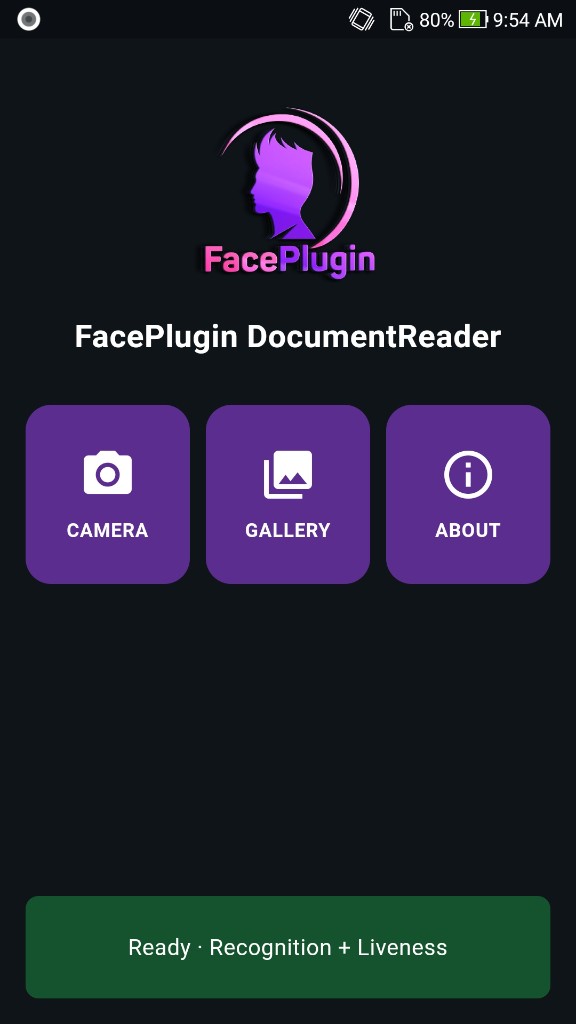
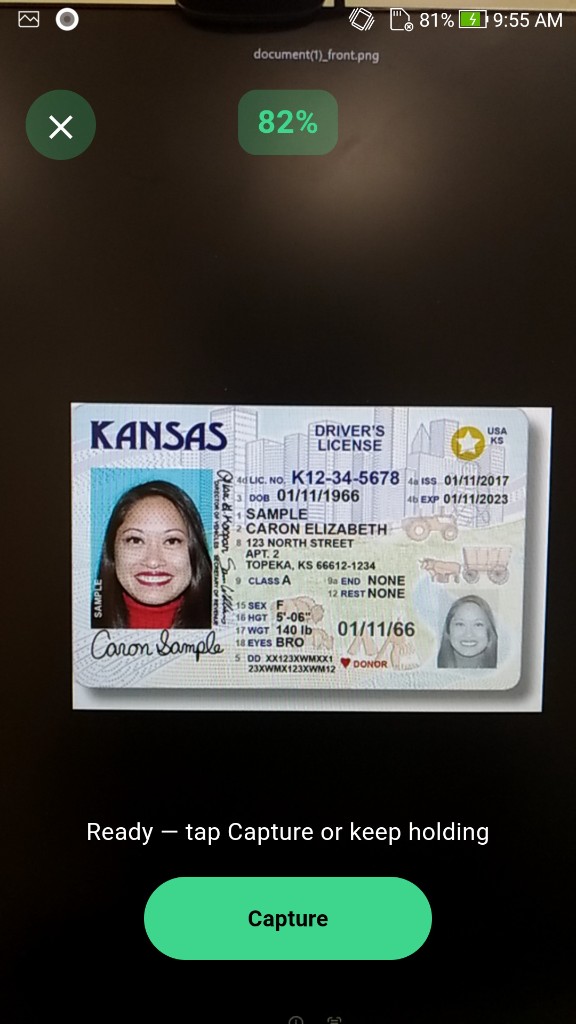
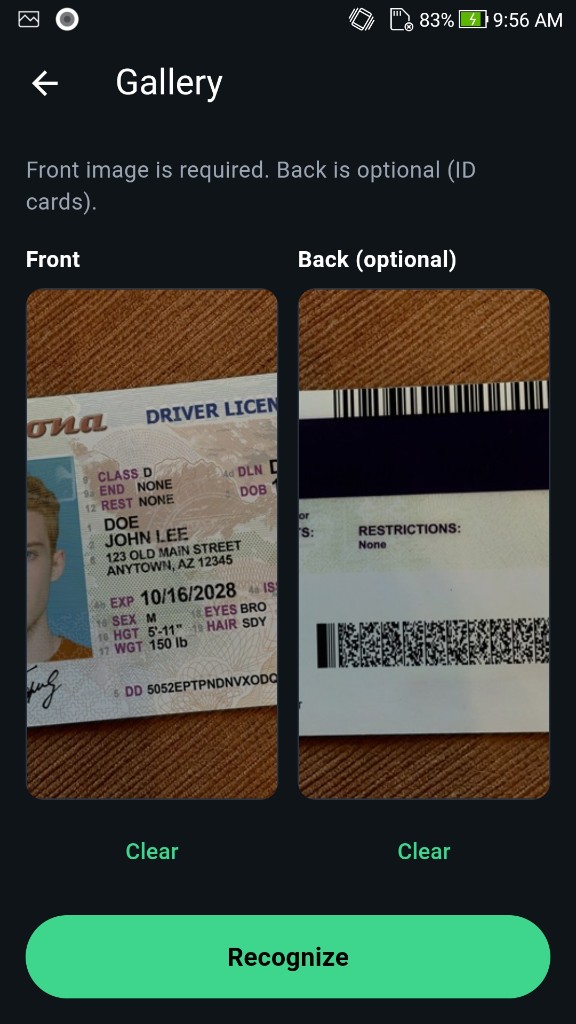
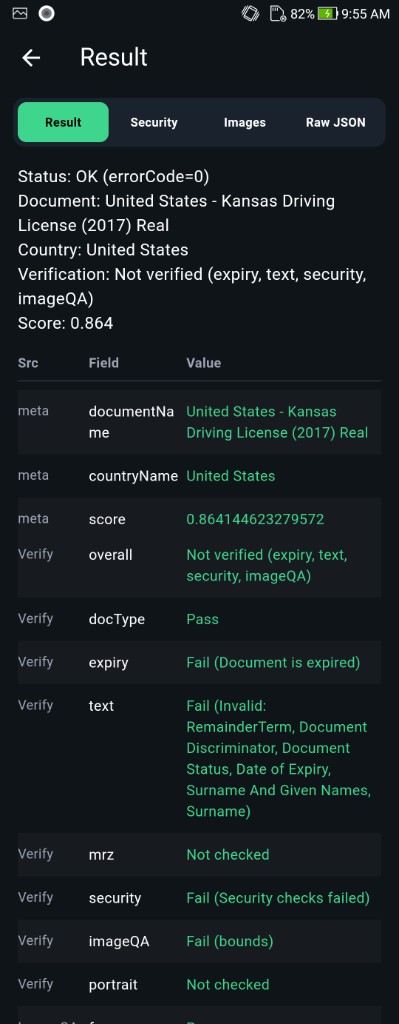
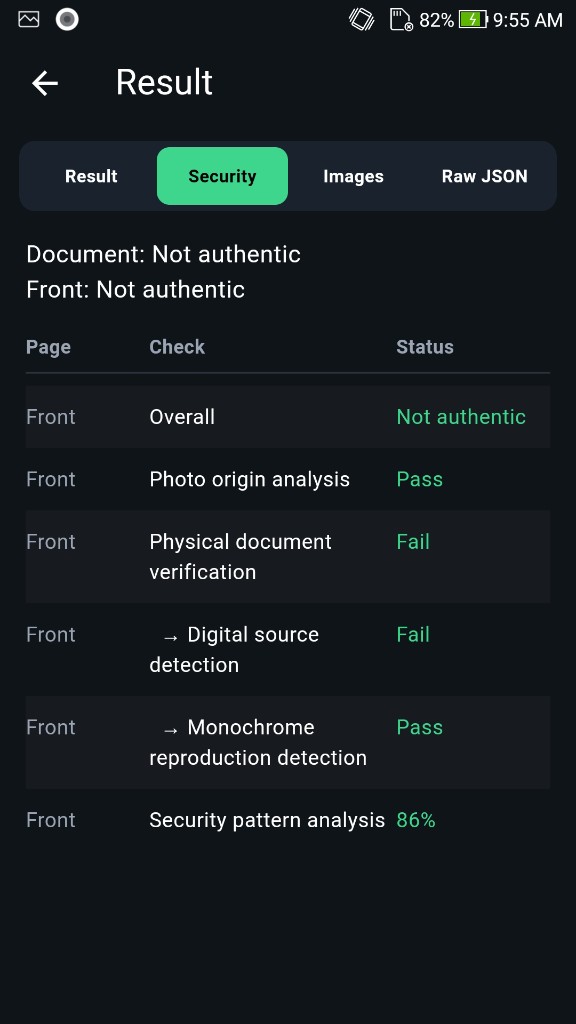
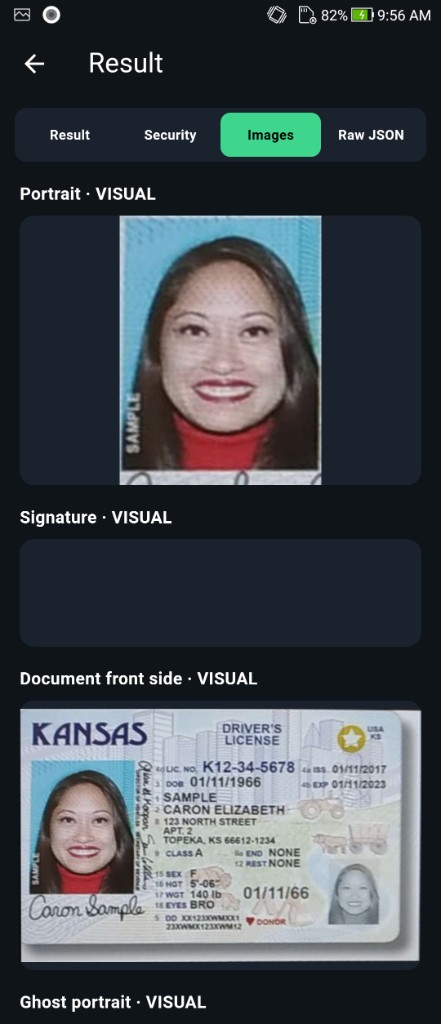
4. Home: Camera, Gallery, About. Result tabs: OCR / MRZ / barcode, Liveness (security), Images, Raw JSON.
### Screenshots
| Home | Camera | Gallery |
| -------------------------------------------------------------------------------------------------------------------------------------------------------------------------------------------------- | ------------------------------------------------------------------------------------------------------------------------------------------------------------------------------------------------------ | ------------------------------------------------------------------------------------------------------------------------------------------------------------------------------------------------ |
|  |
|  |
|  |
| Result | Security | Images |
| ---------------------------------------------------------------------------------------------------------------------------------------------------------------------------------------------- | -------------------------------------------------------------------------------------------------------------------------------------------------------------------------------------------------- | --------------------------------------------------------------------------------------------------------------------------------------------------------------------------------------------- |
|
|
| Result | Security | Images |
| ---------------------------------------------------------------------------------------------------------------------------------------------------------------------------------------------- | -------------------------------------------------------------------------------------------------------------------------------------------------------------------------------------------------- | --------------------------------------------------------------------------------------------------------------------------------------------------------------------------------------------- |
|  |
|  |
|  |
### License
Licenses are **offline**. Request a new `FP1.…` for your own app. Parse the JSON with [Document result JSON](/id-document-recognition-sdk/document-result-json.md).
### Try it (after the demo compiles)
```java
DocumentReaderSDK.setActivation(context, DEMO_LICENSE);
DocumentReaderSDK.init(context);
String json = DocumentReaderSDK.recognize(front, back, "normal");
```
[Request a License & Support](/request-a-license-and-support.md) · [Contact US](/contact-us.md)
---
# Agent Instructions
This documentation is published with GitBook. GitBook is the documentation platform designed so that both humans and AI agents can read, navigate, and reason over technical content effectively. Learn more at gitbook.com.
## Querying This Documentation
If you need additional information that is not directly available in this page, you can query the documentation dynamically by asking a question.
Perform an HTTP GET request on the current page URL with the `ask` query parameter, and the optional `goal` query parameter:
```
GET https://doc.faceplugin.com/id-document-recognition-sdk/id-document-recognition-android-sdk.md?ask=&goal=
```
`ask` is the immediate question: it should be specific, self-contained, and written in natural language.
`goal` is optional and describes the broader end goal you are ultimately trying to accomplish on behalf of the user. GitBook uses it to tailor the answer towards what is most useful for that goal.
The response will contain a direct answer to the question and relevant excerpts and sources from the documentation.
Use this mechanism when the answer is not explicitly present in the current page, you need clarification or additional context, or you want to retrieve related documentation sections.
|
### License
Licenses are **offline**. Request a new `FP1.…` for your own app. Parse the JSON with [Document result JSON](/id-document-recognition-sdk/document-result-json.md).
### Try it (after the demo compiles)
```java
DocumentReaderSDK.setActivation(context, DEMO_LICENSE);
DocumentReaderSDK.init(context);
String json = DocumentReaderSDK.recognize(front, back, "normal");
```
[Request a License & Support](/request-a-license-and-support.md) · [Contact US](/contact-us.md)
---
# Agent Instructions
This documentation is published with GitBook. GitBook is the documentation platform designed so that both humans and AI agents can read, navigate, and reason over technical content effectively. Learn more at gitbook.com.
## Querying This Documentation
If you need additional information that is not directly available in this page, you can query the documentation dynamically by asking a question.
Perform an HTTP GET request on the current page URL with the `ask` query parameter, and the optional `goal` query parameter:
```
GET https://doc.faceplugin.com/id-document-recognition-sdk/id-document-recognition-android-sdk.md?ask=&goal=
```
`ask` is the immediate question: it should be specific, self-contained, and written in natural language.
`goal` is optional and describes the broader end goal you are ultimately trying to accomplish on behalf of the user. GitBook uses it to tailor the answer towards what is most useful for that goal.
The response will contain a direct answer to the question and relevant excerpts and sources from the documentation.
Use this mechanism when the answer is not explicitly present in the current page, you need clarification or additional context, or you want to retrieve related documentation sections.