> For the complete documentation index, see [llms.txt](https://doc.faceplugin.com/llms.txt). Markdown versions of documentation pages are available by appending `.md` to page URLs; this page is available as [Markdown](https://doc.faceplugin.com/products/face-recognition-sdk/recognition-and-liveness/mobile-sdk/face-recognition-flutter-sdk.md).
# Flutter
Faceplugin Face Recognition Flutter SDK. On-premise 1:1 and 1:N matching with 2D liveness. face\_recognition\_sdk plugin for Android and iOS.
Fully on-premise **Face Recognition SDK for Flutter**. Package: `face_recognition_sdk`. Same native engines as the Android and iOS Face Recognition SDKs.
All processing stays on the device. **No** biometric data is sent to Faceplugin cloud.
### Code
{% embed url="" %}
### How to Run
{% stepper %}
{% step %}
## Install tools
Flutter **3.44+** and Dart **3.3+** (from the package `pubspec.yaml`), JDK **17+** for Android. Run `flutter doctor` and fix reported issues. Accept Android licenses: `flutter doctor --android-licenses`. `JAVA_HOME` must point to the JDK **home** (the folder that contains `bin`), not to `bin` itself.
{% endstep %}
{% step %}
## Clone and bootstrap
```bash
git clone https://github.com/Faceplugin-ltd/FaceRecognition-Flutter.git
cd FaceRecognition-Flutter
dart run tool/bootstrap.dart
```
{% endstep %}
{% step %}
## Place native runtimes
| Platform | File | Example app path | Your own app path |
| -------- | ------------------------ | ----------------------------- | ------------------------------------------------------------------------------------------------------- |
| Android | `facerecognitionsdk.aar` | `example/android/libfacesdk/` | Copy `example/android/libfacesdk/` into **your app** `android/libfacesdk/` and `include(":libfacesdk")` |
| iOS | three frameworks | `ios/Frameworks/` | Plugin checkout `ios/Frameworks/` |
* Android Google Drive: [facerecognitionsdk.aar](https://drive.google.com/drive/folders/1kpzYVv9Gbm_pEpDe9-x7FGB4NWZzvez0)
* iOS Google Drive: [frameworks](https://drive.google.com/drive/folders/1PKmV-o7gq7s7dDtiNgXPfCi2ZlWaRy5H) (`facerecognitionsdk`, `FaceRecognitionEngine`, `onnxruntime`)
{% hint style="warning" %}
Do **not** `implementation(files(…aar))` inside the plugin — AGP will fail `bundleDebugAar`. Copy the `libfacesdk` **module** from the example into your app.
{% endhint %}
On a Mac after placing iOS frameworks: `dart run tool/bootstrap.dart` (builds matching `.xcframework`s) then `cd example/ios && pod install`. CocoaPods links the `.xcframework`s into the plugin pod — plain `.framework` alone often leaves undefined `FaceRecognitionSDK` symbols under `use_frameworks!`.
{% endstep %}
{% step %}
## Run the example
```bash
cd example
flutter run
```
Physical phone. Wait for the home status bar → **Ready**.
{% endstep %}
{% endstepper %}
Keep demo ids so the included license works:
| Platform | Id |
| --------------------- | ------------------------------------ |
| Android package name | `com.faceplugin.facerecognitionsdk` |
| iOS bundle identifier | `com.faceplugin.facerecognition.app` |
| Requirement | Value |
| ----------- | -------------------------------------- |
| Flutter | 3.44+ (see `pubspec.yaml`) |
| Android | minSdk 24, physical device recommended |
| iOS | iOS 13+, physical device recommended |
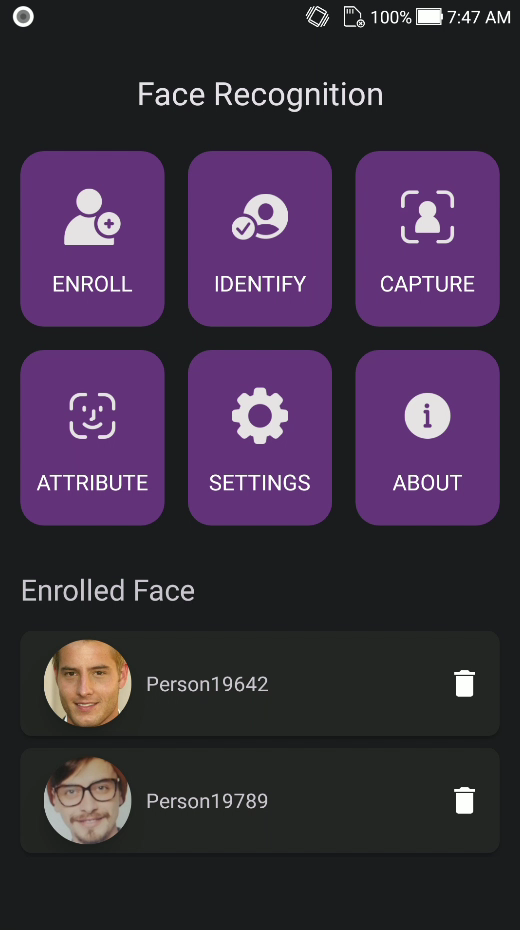
Demo tiles: Enroll, Identify, Capture, Attribute, Settings, About.
### Screenshots
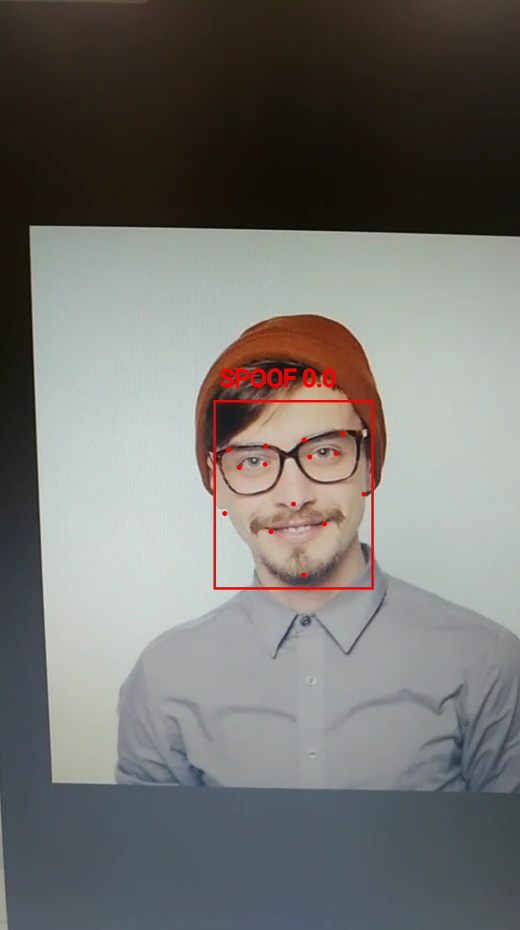
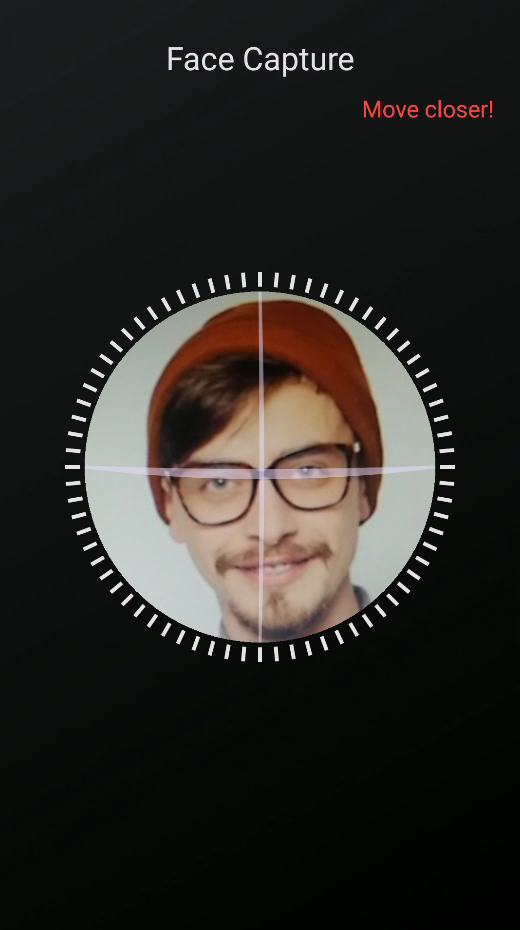
The gallery is **Android** sample UI from `faceplugin-assets`. The Flutter plugin wraps the same native engines; there is no separate Flutter photoshoot in these docs.
| Home | Identify | Capture |
| -------------------------------------------------------------------------------------------------------------------------------------------------------------------------------------------------------------------------------------------------------------------------- | ---------------------------------------------------------------------------------------------------------------------------------------------------------------------------------------------------------- | -------------------------------------------------------------------------------------------------------------------------------------------------------------------------------------------------------- |
|  |
|  |
|  |
### License
Licenses are **offline**. Demo keys live in `example/lib/core/constants/license.dart`. Request a new license key for your own app.
Default thresholds in the example Settings: identify **0.67**, liveness **0.5**, pose **40°**, eye-close **0.5**. You pass these as Dart parameters — change them for your product.
[Request a License & Support](/help/request-a-license-and-support.md).
### Integrate into your own app
You need the Flutter plugin + native runtimes. You do **not** need the example UI or person database.
```yaml
dependencies:
face_recognition_sdk:
git:
url: https://github.com/Faceplugin-ltd/FaceRecognition-Flutter.git
```
Then copy runtimes (table above), set your Android package name / iOS bundle identifier, add camera + photo-library permissions, and request a license for your own app.
```dart
import 'package:face_recognition_sdk/face_recognition_sdk.dart';
Future activate() async {
final code = await getMachineCode(); // machine code — send when requesting a key
final act = await setActivation('license key');
if (act != sdkSuccess) {
throw StateError(await lastLicenseError());
}
final initCode = await init();
if (initCode != sdkSuccess) {
throw StateError('init failed: $initCode');
}
}
Future enrollStill(String imagePath) async {
final faces = await faceDetection(imagePath);
if (faces.length != 1) return;
final template = await templateExtraction(imagePath, faces.first);
final cropB64 = await cropFace(imagePath, faces.first);
// Store template + crop in YOUR database
}
```
Optional oval UI: `FaceCapture` from `package:face_recognition_sdk/capture`.
### APIs
```dart
import 'package:face_recognition_sdk/face_recognition_sdk.dart';
```
Call order: `getMachineCode` → `setActivation` → `init` → detect / VideoWorker → `deinit`.
Status codes: **0** Success, **1** Invalid license, **2** Expired, **3** Not activated, **4** Init failed.
#### setActivation: This API is used to activate the SDK
```dart
Future setActivation(String license)
```
#### init: This API is used to initialize the SDK
```dart
Future init()
```
#### getMachineCode: This API is used to retrieve the machine code
```dart
Future getMachineCode()
```
#### faceDetection: This API is used to detect faces
```dart
Future> faceDetection(String imageUri, [FaceDetectionParam param])
```
Boxes include geometry (`x1,y1,x2,y2`), pose, liveness / quality / eyes / occlusion, age / gender / emotion / mask / glasses, optional `attributes`, and `landmarks` + `landmarkCount`.
#### templateExtraction: This API is used to extract face template
```dart
Future templateExtraction(String imageUri, FaceBox faceBox)
```
#### similarity: This API is used to calculate similarity between two templates
```dart
Future similarity(String feature1B64, String feature2B64)
```
#### detect: This API is used to detect faces and return engine JSON
```dart
Future detect(ImageInput image, {bool crop = false, int flags = DETECT_ALL})
```
Also: `extractFeature`, `quality`, `cropFace`, `setLandmarkMode` / `getLandmarkMode`, `getLicenseStatus`, `lastLicenseError`, `deinit`.
#### VideoWorker: This API is used for live 1:N identify
```dart
Future startVideoWorker(VideoWorkerConfig config)
Future syncVideoWorkerDatabase(List features, {double matchThreshold = 0.67})
Future ingestLiveCameraFrame(LiveCameraPhoto photo, LiveFrameOptions options)
Stream get videoWorkerEvents
Future stopVideoWorker()
```
[Request a License & Support](/help/request-a-license-and-support.md) · [Contact us](/help/contact-us.md)
### FAQ
**Package?** `face_recognition_sdk`.
**Screenshots?** The gallery uses **Android** sample UI. The plugin wraps native Android and iOS engines.
**Face Liveness Flutter SDK?** None public.
### Related documentation
* [Faceplugin Face Recognition Mobile SDK](/products/face-recognition-sdk/recognition-and-liveness/mobile-sdk.md) · [React Native](/products/face-recognition-sdk/recognition-and-liveness/mobile-sdk/face-recognition-react-native-sdk.md) · [Glossary](/help/resources/glossary.md)
* [ID Document Recognition Flutter SDK](/products/id-document-recognition-sdk/recognition-and-liveness/mobile-sdk/id-document-recognition-flutter-sdk.md)
* There is no public Face Liveness Flutter SDK — use Identify 2D liveness or native Android/iOS Liveness.
* [Request a License](/help/request-a-license-and-support.md) · [Status codes](/help/resources/status-codes.md)
* [Combining products (eKYC)](/getting-started/choose-a-product.md) · [SDK comparison](/help/comparisons.md)
---
# Agent Instructions
This documentation is published with GitBook. GitBook is the documentation platform designed so that both humans and AI agents can read, navigate, and reason over technical content effectively. Learn more at gitbook.com.
## Querying This Documentation
If you need additional information that is not directly available in this page, you can query the documentation by asking a question.
Perform an HTTP GET request on the following URL with the `ask` and `goal` query parameters:
```
GET https://doc.faceplugin.com/products/face-recognition-sdk/recognition-and-liveness/mobile-sdk/face-recognition-flutter-sdk.md?ask=&goal=
```
`ask` is the immediate question: it should be specific, self-contained, and written in natural language.
`goal` is what the user is ultimately trying to achieve, the reason they need the answer. Sharing it helps GitBook give you a better, more relevant answer. A goal is most helpful when it describes the outcome the user wants rather than restating the question. For example, with `ask=how do I create an API token`, a goal like `automate deployments from our CI pipeline` lets GitBook tailor the answer to that use case.
The response will contain a direct answer to the question and relevant excerpts and sources from the documentation.
Use this mechanism when the answer is not explicitly present in the current page, you need clarification or additional context, or you want to retrieve related documentation sections.
|
### License
Licenses are **offline**. Demo keys live in `example/lib/core/constants/license.dart`. Request a new license key for your own app.
Default thresholds in the example Settings: identify **0.67**, liveness **0.5**, pose **40°**, eye-close **0.5**. You pass these as Dart parameters — change them for your product.
[Request a License & Support](/help/request-a-license-and-support.md).
### Integrate into your own app
You need the Flutter plugin + native runtimes. You do **not** need the example UI or person database.
```yaml
dependencies:
face_recognition_sdk:
git:
url: https://github.com/Faceplugin-ltd/FaceRecognition-Flutter.git
```
Then copy runtimes (table above), set your Android package name / iOS bundle identifier, add camera + photo-library permissions, and request a license for your own app.
```dart
import 'package:face_recognition_sdk/face_recognition_sdk.dart';
Future activate() async {
final code = await getMachineCode(); // machine code — send when requesting a key
final act = await setActivation('license key');
if (act != sdkSuccess) {
throw StateError(await lastLicenseError());
}
final initCode = await init();
if (initCode != sdkSuccess) {
throw StateError('init failed: $initCode');
}
}
Future enrollStill(String imagePath) async {
final faces = await faceDetection(imagePath);
if (faces.length != 1) return;
final template = await templateExtraction(imagePath, faces.first);
final cropB64 = await cropFace(imagePath, faces.first);
// Store template + crop in YOUR database
}
```
Optional oval UI: `FaceCapture` from `package:face_recognition_sdk/capture`.
### APIs
```dart
import 'package:face_recognition_sdk/face_recognition_sdk.dart';
```
Call order: `getMachineCode` → `setActivation` → `init` → detect / VideoWorker → `deinit`.
Status codes: **0** Success, **1** Invalid license, **2** Expired, **3** Not activated, **4** Init failed.
#### setActivation: This API is used to activate the SDK
```dart
Future setActivation(String license)
```
#### init: This API is used to initialize the SDK
```dart
Future init()
```
#### getMachineCode: This API is used to retrieve the machine code
```dart
Future getMachineCode()
```
#### faceDetection: This API is used to detect faces
```dart
Future> faceDetection(String imageUri, [FaceDetectionParam param])
```
Boxes include geometry (`x1,y1,x2,y2`), pose, liveness / quality / eyes / occlusion, age / gender / emotion / mask / glasses, optional `attributes`, and `landmarks` + `landmarkCount`.
#### templateExtraction: This API is used to extract face template
```dart
Future templateExtraction(String imageUri, FaceBox faceBox)
```
#### similarity: This API is used to calculate similarity between two templates
```dart
Future similarity(String feature1B64, String feature2B64)
```
#### detect: This API is used to detect faces and return engine JSON
```dart
Future detect(ImageInput image, {bool crop = false, int flags = DETECT_ALL})
```
Also: `extractFeature`, `quality`, `cropFace`, `setLandmarkMode` / `getLandmarkMode`, `getLicenseStatus`, `lastLicenseError`, `deinit`.
#### VideoWorker: This API is used for live 1:N identify
```dart
Future startVideoWorker(VideoWorkerConfig config)
Future syncVideoWorkerDatabase(List features, {double matchThreshold = 0.67})
Future ingestLiveCameraFrame(LiveCameraPhoto photo, LiveFrameOptions options)
Stream get videoWorkerEvents
Future stopVideoWorker()
```
[Request a License & Support](/help/request-a-license-and-support.md) · [Contact us](/help/contact-us.md)
### FAQ
**Package?** `face_recognition_sdk`.
**Screenshots?** The gallery uses **Android** sample UI. The plugin wraps native Android and iOS engines.
**Face Liveness Flutter SDK?** None public.
### Related documentation
* [Faceplugin Face Recognition Mobile SDK](/products/face-recognition-sdk/recognition-and-liveness/mobile-sdk.md) · [React Native](/products/face-recognition-sdk/recognition-and-liveness/mobile-sdk/face-recognition-react-native-sdk.md) · [Glossary](/help/resources/glossary.md)
* [ID Document Recognition Flutter SDK](/products/id-document-recognition-sdk/recognition-and-liveness/mobile-sdk/id-document-recognition-flutter-sdk.md)
* There is no public Face Liveness Flutter SDK — use Identify 2D liveness or native Android/iOS Liveness.
* [Request a License](/help/request-a-license-and-support.md) · [Status codes](/help/resources/status-codes.md)
* [Combining products (eKYC)](/getting-started/choose-a-product.md) · [SDK comparison](/help/comparisons.md)
---
# Agent Instructions
This documentation is published with GitBook. GitBook is the documentation platform designed so that both humans and AI agents can read, navigate, and reason over technical content effectively. Learn more at gitbook.com.
## Querying This Documentation
If you need additional information that is not directly available in this page, you can query the documentation by asking a question.
Perform an HTTP GET request on the following URL with the `ask` and `goal` query parameters:
```
GET https://doc.faceplugin.com/products/face-recognition-sdk/recognition-and-liveness/mobile-sdk/face-recognition-flutter-sdk.md?ask=&goal=
```
`ask` is the immediate question: it should be specific, self-contained, and written in natural language.
`goal` is what the user is ultimately trying to achieve, the reason they need the answer. Sharing it helps GitBook give you a better, more relevant answer. A goal is most helpful when it describes the outcome the user wants rather than restating the question. For example, with `ask=how do I create an API token`, a goal like `automate deployments from our CI pipeline` lets GitBook tailor the answer to that use case.
The response will contain a direct answer to the question and relevant excerpts and sources from the documentation.
Use this mechanism when the answer is not explicitly present in the current page, you need clarification or additional context, or you want to retrieve related documentation sections.